COMPUTER ASSIST
  • Home
  • Services
  • SOS
  • Book Online
  • Blog
  • Contact
Picture


​Blog

Exploring Windows 11: What's New and Why It's Worth Upgrading Now

1/3/2023

0 Comments

 
Picture
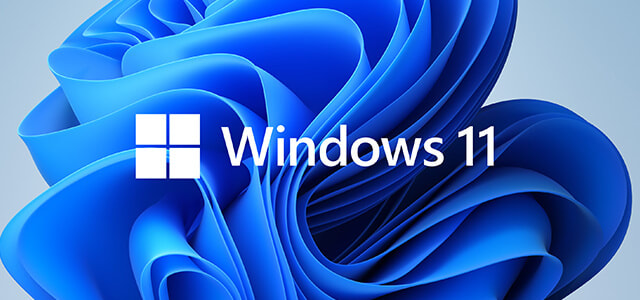
Microsoft has recently unveiled its latest operating system, Windows 11, bringing a fresh and exciting experience to PC users worldwide. Packed with new features, a modernized interface, and enhanced performance, Windows 11 is definitely worth considering as your next operating system upgrade. Here's a glimpse of what's new and why it's worth making the switch.
  1. Redesigned Start Menu and Taskbar: Windows 11 introduces a centered Start Menu and taskbar, providing a clean and streamlined look. The Start Menu now includes recommended apps, recent files, and a customizable layout, making it easier to find what you need quickly.
  2. Enhanced Multitasking and Snap Layouts: Multitasking gets a significant boost with Snap Layouts and Snap Groups. You can now organize and optimize your workspace by snapping multiple windows into predefined layouts or groups, allowing for seamless multitasking and efficient productivity.
  3. New Microsoft Store: Windows 11 features a revamped Microsoft Store, offering a wider selection of apps, including popular ones like Adobe Creative Cloud and Microsoft Teams. The store has been redesigned for speed, ease of use, and improved app discovery.
  4. Gaming Improvements: Gamers will appreciate the enhancements in Windows 11, such as Auto HDR, which brings vivid visuals to a broader range of games, and DirectStorage, enabling faster load times and smoother gameplay for compatible hardware.
  5. Microsoft Teams Integration: Windows 11 integrates Microsoft Teams directly into the taskbar, making it convenient to connect with colleagues, friends, and family through video calls, chats, and virtual meetings.
  6. Better Performance and Security: Windows 11 is designed for improved performance and efficiency, with faster startup times, lower system requirements, and enhanced power management. It also includes advanced security features like hardware-based TPM 2.0 and secure boot, providing a more secure computing experience.
Windows 11 represents a significant step forward in user experience and functionality. With its fresh design, enhanced multitasking capabilities, new app store, and gaming improvements, it offers a compelling reason to upgrade. Additionally, the focus on performance and security ensures a more efficient and secure computing environment.
While considering an upgrade, be sure to check the system requirements for Windows 11 and ensure your hardware meets them. If you're eligible, taking the leap to Windows 11 can bring you a more modern, intuitive, and productive computing experience.
0 Comments

    Computer Assist

    Here to help with your IT advice, support and training needs

    Archives

    August 2023
    July 2023
    June 2023
    March 2023
    February 2023

    Categories

    All

    RSS Feed

SERVICES
CONTACT
  • Home
  • Services
  • SOS
  • Book Online
  • Blog
  • Contact